Why brainstorm if we already know what to build?
Dima Korsikov
I’m a group product manager, and I run into ideas every day (although some have already turned into tickets with due dates by the time they get to me). Every feature starts with someone saying, “What if we…” And I think coming up with a few genuinely different ways to solve the same problem is one of the most underrated skills in product.
Say people sign up, get to the “Invite your teammates” step, and close the page. Someone suggests adding a tooltip. Five minutes later, we’re talking about where to put it and who’ll pick up the ticket this sprint. What if people understood exactly what we were asking and just wanted to try the product on their own first?
Sometimes you can fix a bug in an evening. It can take months to realize you picked the wrong direction. By then, the feature is live and people are still leaving at the same step. If a whole part of your product strategy depended on that decision, the team has to redo its plans, too. It’s a lot easier to try another approach while the tooltip is still just an idea.
Why it’s hard to make time to brainstorm
It feels like just about every product manager has been in a brainstorm. In my experience, you still have to fight for time to explore alternatives. The business often comes in with an answer already. Sometimes there’s a good reason for it. Sometimes someone saw the same feature in a competitor’s product yesterday, and today the team is already being asked when it’ll ship.
To pause and look for other options, a product manager needs the team’s trust. You also need to find a time that works for three, four, or five people (try explaining why they should block off half a day for a meeting that won’t produce a single line of code). Especially now that we’re expected to automate whatever we can and get features to users faster.
That got me thinking. If AI already helps us write code, could it help us a little earlier, while we’re still figuring out what’s worth building?
Where AI still falls short
AI writes code reasonably well these days. In my experience, it’s noticeably weaker at brainstorming. Ask it to fix onboarding, and it’ll suggest adding a tooltip, making it more noticeable, and personalizing it (of course there has to be personalization). You’ll get ten suggestions and a rollout plan if you ask for one. You’ll still have to ask the question yourself. Why are we asking people to invite teammates so early in the first place?
Market research is more straightforward. AI can help you collect examples of what competitors have built and look at what’s worked before. Want to copy a feature and catch up? You can take the brainstorm off the calendar. Your competitor spreadsheet already has a list of ideas they beat you to.
Want to be the first to serve a new segment? Or give people a reason to switch from the market leader to you? That takes a breakthrough idea. Research can point you toward an opportunity. You still have to come up with something worth offering people.
I wanted to know whether I could get AI past those first obvious answers. I spent years in consulting, back when companies set aside time and money expressly to look for solutions. I took a few approaches from that work and tried using them to push past this limitation. That’s how Idea Zoo started.
How I use AI to brainstorm product ideas
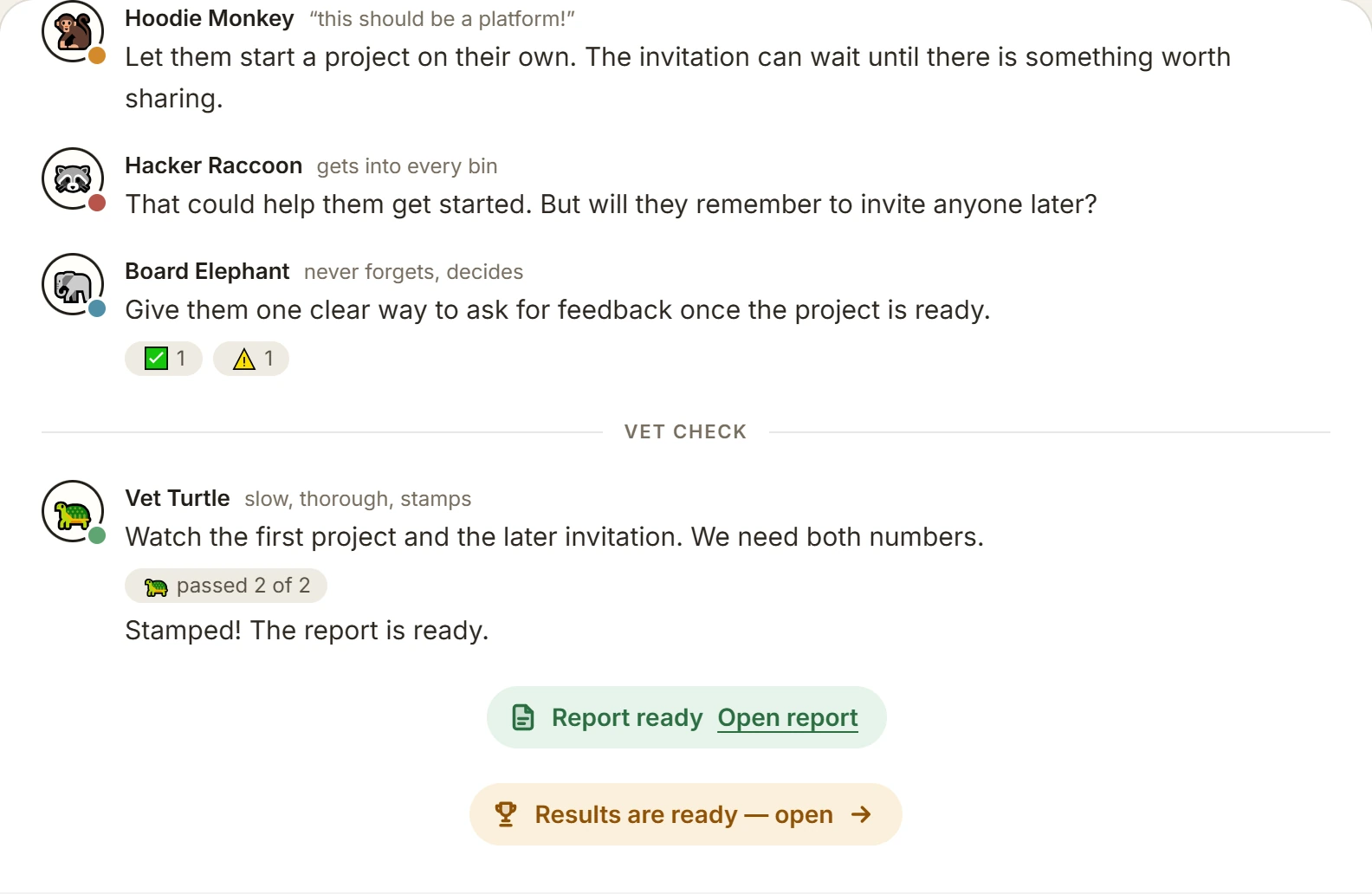
In Idea Zoo, twelve animated animals take on the role of experts and discuss your problem in a chat. Along the way, they ask you to clarify the context and choose which possible causes and directions are worth exploring. A session usually takes 10–15 minutes.
Behind the playful interface is a serious discussion among AI agents. They build on each other’s ideas, argue, and point out where a solution could break down. You can follow the conversation in the chat. Between questions, you can sit back and see where it goes (sometimes an offhand comment is all it takes to spark an idea of your own).

Screenshots from a demo session.
1. Dig into the problem
The first version of a request from the business often describes what’s visible on the surface. “People aren’t finishing onboarding.” Okay, where are they dropping off? What have they done by then? What have you tried? With those answers, you can come up with a few possible explanations and pick which to look at more closely. Maybe the button is easy to miss. Or maybe people haven’t done anything in the product yet and don’t know why they’d invite a teammate.
2. Look for breakthrough solutions
This is where the brainstorm really starts for me. I borrowed an approach from businesses outside tech, where it was used to find solutions with millions at stake. If you’ve spent your whole career in tech, you may never have come across it. In Idea Zoo, I use it right here, when the obvious suggestions are on the table and it feels like you’ve run out of options.
Back to onboarding. What would have to happen for someone to want to invite a teammate? Say they’ve set up their first project and want feedback. You could let them skip the invitation, create a project, and send a teammate a link to it. The teammate now has a reason to open the product, and the person who created the project has a reason to invite them. All this started with a plan to explain a button a little better.
That’s the kind of turn I built Idea Zoo for. If every option is a version of the same tooltip, I’d keep going (there’ll still be time to put a ticket in the sprint).
3. See what’s worked elsewhere
Say a similar product asks people to invite teammates after they’ve created their first project. I’d want to know why that sequence makes sense for them. If their users can get something useful done on their own and our product only comes to life when teammates join, the same idea could play out differently. In a free Idea Zoo session, you can bring examples you found in the market or already tried in your own product. Add them to your problem description.
4. Challenge the ideas
Ask AI if an idea is any good, and you can get a detailed explanation of why you got everything right (I can pat myself on the back just fine). That’s why the experts in Idea Zoo look at each idea from different angles. Who would this help? What has to be true for it to work? What might get worse?
For example, if we let people skip the invitation, more of them might create a first project. How many will come back and invite a teammate later? It’s worth asking before the team agrees on how to measure success.
5. Pull it together and pick the first test
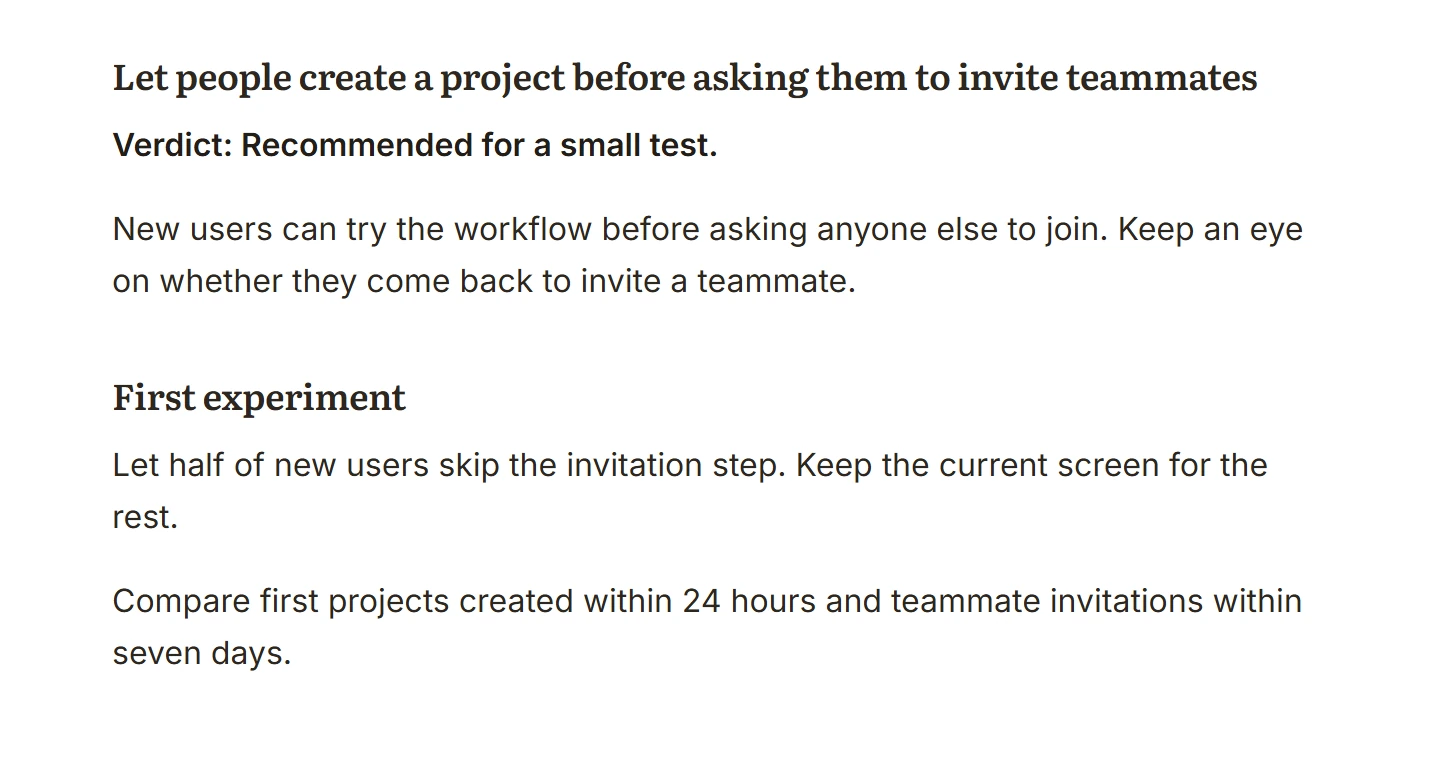
In our example, we could let some new users skip the invitation and leave the current screen in place for the rest. Then we’d compare the share in each group who created a first project within a day and the share who invited teammates within a week. You can capture those decisions in a product experiment template.
At the end of an Idea Zoo session, you get a shortlist with a verdict and a first experiment for each idea, plus a report you can bring to the team. If an idea catches your eye, select “Dig deeper” to explore different ways to implement it.
When the team doesn’t have half a day
I still love a good brainstorm with colleagues. They know the product, they’ve heard from users, and they can ask the question that takes the conversation in a whole new direction. I built Idea Zoo for the moment when you have a problem on your hands and it’s hard to get everyone together today. I can start with a short session on my own and go to the team with a few possible causes and a suggestion for what to test first.
Pick a problem your team is already making plans to solve and bring it to a session. I’d love to hear what you come up with and which idea you want to test first. Try Idea Zoo